Skip to content
  • Home
  • Blog
  • Games
  • Tutorials
    • Google Classroom
    • Google Drive
    • Google Docs
    • Pixlr E
    • Zoom
  • Photography
All Rights Reserved  |  Theme jt25 by  Jess Tura.

Popular Today

  • How to Mute and Unmute yourself on Zoom?
  • How to change table border color, width, and style…
  • How To Properly Share Your Scratch Work
  • Adding students information in Pictavo
  • Pixlr E: Sliced Text effect using Polygonal Lasso Tool
  • Scratch: If-Else-Condition and Relational Operators
  • Sample photos treated with Adobe Lightroom
  • Pixlr E: Rough Wall Texture Text Effect tutorial
  • How to make a Google Docs file inside a folder?
  • Why do you need to make and use your variables?
  • How To Log in at Code.org and Search for specific game?
  • Basic Input and Output Scratch program
  • Pixlr E: Text, Image, and Shapes
  • How to import or install a Lightroom Preset made by others

Category: Tutorials

Protected: Boolean Expressions Quiz A

There is no excerpt because this is a protected post.

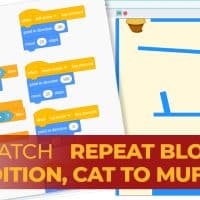
Scratch: Mouse to Muffin maze, Repeat Block, If Then, and Condition Blocks

This means that our If Then and Condition blocks should be inside a Forever Loop block.

Jess Tura Scratch repetition condition if then cat to muffin

How To Install Google Fonts to Your Computer?

Drag and drop the font file to the Fonts folder of your computer. The font file should now be added to your computer’s font list.

Jess Tura installing Google Font

How To Log in at Code.org and Search for specific game?

Follow these steps to log in at code.org with your email account.

Scratch: If-Else-Condition and Relational Operators

Whenever the condition evaluates to true then the blocks inside it will be executed, otherwise, the computer will simply ignore and proceed to the blocks outside the If-Condition block.

Jess Tura Scratch if condition relational operators

Pixlr E: Rough Wall Texture Text Effect tutorial

Follow the steps below using your Pixlr E account to achieve similar result. In the process, you are going to learn the following: Step 1: Prepare two rough wall textures One texture should be darker. We will use this as the background of the design. The other must be brighter. We will use this as […]
jess tura pixlr e rough text

How to embed your Scratch project on your Google Sites webpage?

Here are the steps to put your Scratch project on your Google Sites page.

google sites embed scratch porject to google sites page 2B

How to publish, get correct link, and share your Google Sites page or submit on Google Classroom?

What you need to bear in mind here is that you need to view your site as published page first, then copy its URL. You need to make sure that the last words in the URL are the words in your webpage title.

Jess Tura publish google site get url link google classroom

Pixlr E: Text, Image, and Shapes

Make sure to arrange the layers in such a way that the texts are above the shape and image.

Jess Tura pixlr E texts shapes opacity layers

Why do you need to make and use your variables?

A variable should have one specific value at any given time. You do not want your feet to share with someone else’ feet on the same shoes at the same moment, right?

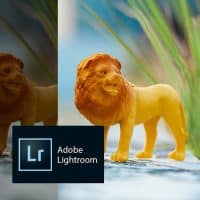
Sample photos treated with Adobe Lightroom

If you have photos with brightness, colors, white balance that are not ‘right’ don’t discard it right away. With Lightroom and your creativity, you can put it in your ‘for keeps’ collections.

jess tura sample photos treated with lightroom

How much time is needed to travel from one place to another using Google Maps?

If you want to know the other details on how to get from your Point A to Point B using other ways, click or tap the buttons on the top of the Search Box.

Jess Tura time needed to walk using Google Maps

How to change table border color, width, and style in Google Docs using an iPad?

Alternatively, you can also access the table border settings by clicking the Border Icon as seen below. The Border icon will only be shown if you select the cells first.

jesstura changing table borders ipad thumbnail

How to make Bulleted & Numbered Lists in Google Docs using an iPad?

Type all the list items first together with the list titles. Do not do the list styles yet at this moment.

jess tura how to make bulleted and numbered lists in google docs ipad

How to make Bulleted and Numbered Lists with Google Docs (not for iPad users)?

Step 1: Type all the words first. Do not do the list yet.

jess tura how to make bulleted and numbered lists in google docs
All Rights Reserved  |  jt25 by   Jess Tura.