Skip to content
  • Home
  • Blog
  • Games
  • Tutorials
    • Google Classroom
    • Google Drive
    • Google Docs
    • Pixlr E
    • Zoom
  • Photography
All Rights Reserved  |  Theme jt25 by  Jess Tura.

Popular Today

  • Pixlr E: Sliced Text effect using Polygonal Lasso Tool
  • How to Mute and Unmute yourself on Zoom?
  • Adding students information in Pictavo
  • How to make a Google Docs file inside a folder?
  • Sample photos treated with Adobe Lightroom
  • How to make Bulleted and Numbered Lists with Google…
  • Basic Input and Output Scratch program
  • How to import or install a Lightroom Preset made by others
  • How To Properly Share Your Scratch Work
  • Scratch: Mouse to Muffin maze, Repeat Block, If…
  • Scratch: If-Else-Condition and Relational Operators
  • How to Create Your Own Lightroom Preset
  • How to change table border color, width, and style…
  • Why do you need to make and use your variables?

Tag: conditions

Scratch: If-Else-Condition and Relational Operators

Whenever the condition evaluates to true then the blocks inside it will be executed, otherwise, the computer will simply ignore and proceed to the blocks outside the If-Condition block.

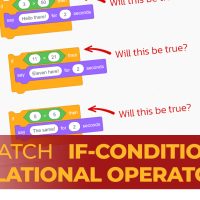
Jess Tura Scratch if condition relational operators
All Rights Reserved  |  jt25 by   Jess Tura.